


Do you travel for weddings?
We do — happily. Where’s the venue?
Sent ✓Social inbox
Comments from your connected platforms land in one inbox. Reply to Instagram and Facebook — their DMs included — without leaving it.
A year of weddings — finished, and never posted.
The Lightroom plugin that posts to Instagram — and the rest of your socials. Drop your photos in a gallery, hit Publish, and they go out captioned and scheduled.
Already built and running. We’re finishing the last platform connections before we open the doors.
Built by a wedding photographer who got sick of posting his own work.
The Lightroom plugin that posts to Instagram — and the rest of your socials. Pick your favourites, hit publish once, and they go out captioned and scheduled. No exporting. No re-uploading. No 11pm hashtags. Finish the edit — it’s already posted.
Not a photographer? Upload straight from your computer — Lightroom’s optional.
Half price on whatever plan you’re on, for as long as you keep it. The price goes when the doors open.
Already built and running. We’re finishing the last platform connections before we open the doors.
“One wedding runs into the next, the editing stacks up, and posting is the thing that slips. That’s how a whole year of weddings ends up sitting on a drive, finished and unseen.”
One wedding runs into the next, the editing stacks up, and posting is the thing that slips. That’s how a whole year of weddings ends up sitting on a drive, finished and unseen.
I’m a wedding photographer, so I’ll tell you the part nobody talks about.
You’ve just spent days on a wedding — culling, editing, getting the colour right. It’s finally done. And then you remember you still have to post it.
So you export a set to a folder. Re-upload it to Instagram. Sit there doing hashtag research, writing a caption, picking which ones go out. Then you do it again for the next platform.
It’s another hour or two bolted onto the end of a job you thought was finished.
I got sick of it. So I built WedSchedulePro.
Now I pick my favourites, drop them in my queue, and they go out — with the caption and hashtags I already added in Lightroom, or ones the queue fills in if I didn’t. No exporting. No re-uploading. No sitting there at 11pm doing hashtags.
What I wanted was a tool that didn’t stress you out — one where you choose how much of it you do. Let the AI draft your captions on a paid plan, or write every word yourself. Set up templates and queues once and let a wedding post itself, or work the way you already do in Lightroom: build galleries and collections, then filter down to the frames you want — by what’s in the photo, right down to its colours — and post exactly those.
That’s why it isn’t a social-media post generator. It’s the jobs you’re already doing across half a dozen tools — the library, the scheduling, the carousels, the captions, and blogging with live search data guiding you — in one place, with you deciding how much of it to hand over.
The whole job after the edit, in one place.
Instagram publishing needs an Instagram Business or Creator account. Personal Instagram accounts can’t use Instagram’s publishing tools — the switch is free, and we point you to it during setup.
Nothing to export. Nothing to re-upload.
The Lightroom plugin
Publish straight from Lightroom Classic, and your caption and keywords travel with the photo — or the AI writes one from the photo itself, ready for you to tweak. Nothing leaves until you say so.
It’s a plugin for Lightroom Classic. You install it once, sign in, and a new publish option appears — your catalogue stays exactly as it is.
You’re always in the driver’s seat. AI drafts; you decide.
Golden hour at the barn — Rowan & Elise, and a sky that behaved. ✨
adapts per platformPreview sent to Rowan & Elise before anything posts.
✓ ApprovedEvery wedding becomes a post on your own site.
Get published — features that bring couples to you.
Hands-off in the queue, hand-built in Compose, or anywhere in between — five ways in, one result out.
The queue — the end of a wedding used to mean sorting and exporting photos, posting them to each platform in turn, then writing the captions and hunting the hashtags. Now you pick your favourites in Lightroom and hit publish once: they go out captioned, on schedule, everywhere you post. Solo plan and up
Publish — one click sends them →
 Single photoWed 29 Jul · 19:30
 Carousel · 5Sun 2 Aug · 19:30
 Single photoFri 31 Jul · 18:00
 Carousel · 4Fri 7 Aug · 18:00
 Single photoFri 14 Aug · 18:00
Each queue is its own — its own accounts and its own posting times.
When it runs low, it tells you — in the app and by email — before a slot passes empty.
The Carousel builder — pick a template, drag your photos in, and a 2–10-slide carousel builds itself around them, then goes out as a real Instagram carousel. No design app, no sending photos to your phone first. Solo plan and up
The picture carried straight across the cut. No seam.
Start from a template — the layout work is done before you drop a photo in.
Compose — build one post by hand: pick the photos, pick the platforms, set the date and time. Write the caption yourself — or, on paid plans, the AI drafts it in your voice and you edit it before it goes. On every plan
You edit every word — or write them all yourself. Nothing sends without your say-so.
The Calendar — every scheduled, pending and published post lands on its day, so you can see exactly what's going out, and when. Plans change? Drag the post to another day — same time, new day, done. On every plan
Each post drops onto its day — not every day, the days you chose. The rest of the month stays yours.
The Media Library — upload from your computer, no Lightroom needed. Every photo lands in a named gallery, so when it's time to post, you pick, then queue or compose right there. Free on every plan
Photos live in named galleries, never a flat dump. Not a photographer? The upload door works the same.
All five run on the same system and the same photos — not five apps to keep in sync. Pick photos once and they're ready wherever you use them: no exporting to the right sizes, no re-uploading, no pasting captions between tools. You finish the work once; everything after that happens in one place.
Want a client or couple to sign off before a post goes out? Approvals are built into every plan — Free included — and they're optional, never a paywall. Captions work the same way: the AI drafts on paid plans, you edit; or skip the AI and write your own.
Some weddings you'll queue and forget; some posts you'll build yourself, word by word. Use whichever way fits the job — and change your mind whenever you like. Full control when you want it, none of the work when you don't.
Instagram publishing needs an Instagram Business or Creator account. Personal Instagram accounts can’t use Instagram’s publishing tools — the switch is free, and we point you to it during setup.
What's live: posting to Instagram and Facebook, with more coming as each one clears review. Publishing from Lightroom Classic needs the free plugin and a paid plan; approvals are on every plan, including Free.
That's the whole workflow. Nothing else to wire up.
Join the waitlist — 50% off for life
The price goes when the doors open. It doesn't come back.
Not a generic caption. It sees the light, the setting, the moment — and writes like you would.
On every paid plan. Rewrite until it sounds like you.
AI captions
AI is the part you’ll use most — so we don’t ration it. Most tools sell it back to you by the credit. We don’t.
Scene, light and mood read from the photo itself, then written in your voice. Then it’s yours: edit it, post it as it is, or skip the AI and write every word yourself. Unlimited on every paid plan.
It reads the scene — never who’s in the photo.
Ellie & Tom — what a day. 🤍 We stole ten minutes at the end of it, walked out into the long grass, and the light did the rest. Congratulations, you two — it was an honour to capture every second.
AI captions and hashtags when you want them, your own words when you don't — you always get the final say.
Send a link, they tap approve. Free on every plan — including Free. Off by default.
Approvals
Off by default, and most photographers never turn them on. You post freely. But when a couple or a client wants to see posts first, switch approvals on for that wedding, send one clean preview, get a yes, then publish.
And when you do use them, they’re free on every plan — even Free. Later gates approvals to its Growth plan, from $37.50/mo.
Preview sent to the couple — one clean page, one tap to say yes.
Grid Planner
Drag your scheduled posts until the feed looks right, before a single one goes out. Coming soon: Edit in Canva — send any photo to Canva and back without re-uploading.
Drag until the feed looks right.
A preview of your real scheduled posts. Reordering the preview never changes a scheduled time.
Canva
Coming soon — Edit in Canva: there and back, no re-upload. Solo plans and up.
Join the waitlist — 50% off for life
No card. No commitment. You're on a list — and you keep the founding price if you decide to use it.
Blog Writer – live data
The Blog Writer turns the wedding you just shot into a finished post — written from your own gallery, with the venue, the vendors and your notes already in it, and scored as you write. It isn’t a tick-box exercise: we pull the ten pages ranking for your keyword today — live, while you write — and grade you against them on the terms they cover, the questions they answer, how much they say. Close the gap and the score climbs.
Pick a phrase couples actually search. We show you the numbers before you write a word.
Start writing. The score starts moving.
Top-10 pages today
Your draft is graded against them — not a stored checklist.
Everything covered. Hit publish.
Ready to publishComments, DMs, your team, your blog — the rest of the job lives here too, not in another subscription.
Do you travel for weddings?
We do — happily. Where’s the venue?
Sent ✓Comments from your connected platforms land in one inbox. Reply to Instagram and Facebook — their DMs included — without leaving it.
Invite your team and hold posts for internal review before they go out.
Every new account starts on Studio, fully unlocked.
Founding Member pricing: half price on whatever plan you’re on, for as long as you keep it. The price goes when the doors open.
Every account starts on the full Studio plan, free for 14 days — no card. At the end, stay on the plan that suits you, or drop to a permanent free tier. No pressure, no lock-in.
$39 becomes $19.50. $79 becomes $39.50. $159 becomes $79.50. Half price on whatever plan you’re on, for as long as you keep it — move up or down and it moves with you. Not a first-year discount that quietly ends.
Everyone who joins the waitlist before we open gets it. Everyone after pays the price on the card.
There’s no countdown on this page. The price just ends when the product opens.
$0
A permanent home base — approvals included.
$39/mo
The one-photographer studio, fully unlocked.
$79/mo
Where every new account starts — everything on.
Everything in Solo, plus:
$159/mo
For teams posting for many brands.
Everything in Studio, plus:
Monthly prices. Annual billing brings them down to $32 / $66 / $132.
Built by a wedding photographer, for every wedding supplier.
I’m a wedding photographer, and I built WedSchedulePro because I needed it. But I’m one supplier — you’ll spot things I won’t. Tell me what would make the job easier, and if it earns its place, it goes on the list. When it ships, you’ll hear it from me.
No suggestion box that goes nowhere — requests come straight to me. Here’s what’s already on the list:
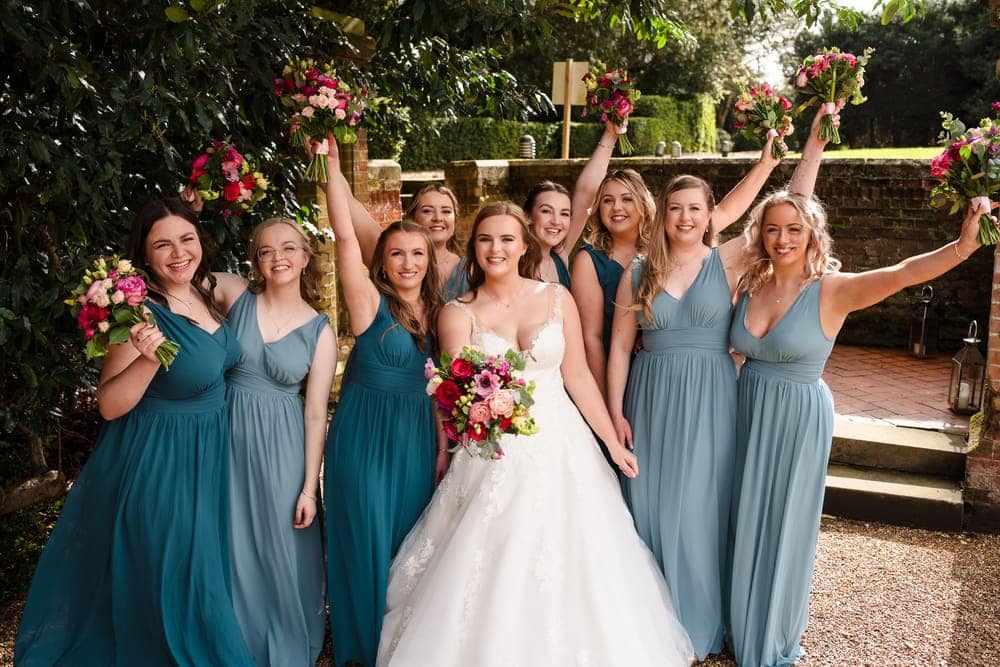
Become a Founding Member — join the waitlist, over an AI-generated illustrative wedding send-off photograph (not a real client’s wedding), teal-washed.
Launching soon — be first in line. Founding Members lock in 50% off, for life. No card, no catch.
Something went wrong — please try again.
You’re not just first in line — you’ll help call what gets built next.
We’d like to use analytics and advertising cookies to measure how this site is used and how well our ads work. They’re off until you agree. Essential cookies stay on either way. Cookie Policy